I know; it gets old. But this one is actually pretty good:
Wednesday, July 25, 2007


Monday, July 23, 2007
Dell Optiplex
Some people have looked through my blog to find out about a problem with some Dell Optiplex computers. I encountered the problem with two GX60 units.
It seems that the installation of Ubuntu, or even Xubuntu, doesn't go well on a few systems. The common answer I've found is: Set the Frame Relay from 1mg to 8mg. If you're using another graphics card, you probably didn't encounter the problem. My Optiplex GX260 has a 32 mb graphics card on it, and it works more than well enough. I've thought about getting a better card, but that would involve rebuilding the system. Might as well upgrade the processor too. I simply don't use the things a super-duper graphics card is used for. What I have works well.
This Thread on the Ubuntu forums will help.
In Other News
It seems that Maxed Out was removed from Google Video. I'll leave my link up till someone else posts it, and I'll relink to it.
Someday, these people will understand that posting movies like that on Google Video or YouTube will boost their sales. Too many people live in old, out-of-date business models.
Saturday, July 21, 2007
Tuesday, July 17, 2007
Sunday, July 15, 2007
In Click, Out Click
Sounds like a Dilbert topic, don't it. Every so often I check my blog stats to see what brings people to my blog, and what the click on. The cool part is I can tell what search request lead to my blog. So, here's some quick answers to search requests:
- At the moment, I can't recommend Fluxbuntu. I didn't find it any faster to use than Xubuntu. If you need to use a very lightweight distro for older equipment, use Puppy Linux or Damn Small Linux (DSL). Hopefully, Fluxbuntu will improve.
- The Belkin 54g USB Network Adapter doesn't work in Feisty. You can get it to work, but it's not worth the hassle. If you absolutely need to use that adapter, go back to Edgy or Dapper. Hopefully, it will be fixed in Gutsy. Just think; do you really need the eye-candy in Feisty? Dapper is the LTS version anyway.
- Louisana Catahoula Leopard Dogs's are absolutely wonderful dogs. If you get one, just make sure you have a high fence. No, 8ft isn't a high fence. If you don't have a high fence, an electronic collar will be necessary. The link is to the C.U.R.S (Catahoula United Rescue Society).
- Xubuntu works very well on older iMac G3 computers. Only the alternate install CD will load, and I recommend using Xubuntu Dapper 6.06.1. You can try Feisty, or Gutsy when it comes out, but starting with Dapper, and upgrading from there seems to work.
- The Windsurfer is an excellent antenna booster. I'm amazed at how well it works.
- I was able to get around the Critical Temperature Reached bug installing Ubuntu 7.04 Feisty Fawn by removing the laptop battery during installation. Not sure if that works for all laptops, but give it a try. Other than that, install Edgy, then upgrade to Feisty through the update manager.
Those are the most common searches that people are looking for when they hit my blog.
It would be interesting if someone was trying to look up how to get the Windsurfer antenna working on the Belkin USB adapter with the Xubuntu iMac G3, so they can surf for pics of Catahoulas. That person probably wouldn't have Critical Temp problems though.
It would be interesting if someone was trying to look up how to get the Windsurfer antenna working on the Belkin USB adapter with the Xubuntu iMac G3, so they can surf for pics of Catahoulas. That person probably wouldn't have Critical Temp problems though.
Saturday, July 14, 2007
Farmers Daughter
If McDonald's played this commercial in USA, I'd probably stop my war-cry against them:
Thursday, July 12, 2007
Pirates, Macs, Xubuntu and ZaReason
I watched "Pirates of Silicon Valley" again. It's pretty much required for anyone working for an Information Technology degree. While it is a drama, the basic history of it is very significant, especially the chronology of events. The drama and relationship between Bill Gates and Steve Jobs is just that, drama. I'm sure most businesses have something similar. The early car makers had similar relationships. If you haven't seen this movie, it's fun. Not boring even for the non-techy type. If you can't find the DVD, or the torrent file, it's on Google Video:
It's funny; Mac has it's Mac Cult, and Linux has it's line up of fanboys. Not many people are in a Windows cult, or are fanboys of Windows, but it's still the dominate force. Go figure! I know - it's because business and education. Maybe a bit about gaming too.
Xubuntu is working out very well as the primary choice for the Free Geek installations. Having it Virtualized on my laptop helps too. Xubuntu is very easy to work with. Even the Forensics Distro, Helix using XFCE now. Having Xubuntu on a Pentium III laptop would work very well.
Another independent hardware company is selling Ubuntu preinstalled on PC's: ZaReason. ZaReason is the brainchild of the people behind the ACCRC - Alameda County Computer Resource Center, near the campus of UC Berkley. They work very much like Fre Geek. ZaReason seems to be another excellent choice for an Ubuntu preinstalled new computer. The use the Shuttle PC form factor for their desktop models, and they have specific computers for kids and teens. There's an interview with the CEO of ZaReason, Cathy Malmrose, on AllAboutUbuntu blog. Check it out.

Tuesday, July 10, 2007
GPLv3 - Good or Bad?
The General Public License version 3 is out. Linus Torvalds, the original developer of the Linux kernel and current trademark holder doesn't like it. I don't pretend to have the first clue on legal issues (get it? clue?), but from what's been going around, it seems Richard Stallman and The Free Software Foundation are more interested in sticking it to Microsoft than pursuing the interest of Software Freedom. While I agree Microsoft has participated in some rather unscrupulous business practices, they aren't alone. People absolutely love Apple, but I'm sure Apple hasn't been the most ethical company either. They both stole the graphical user interface from Xerox, after all. Or, did Xerox share it with them?
Free and Open Source Software (FOSS) has it's place, but I believe proprietary software has it's place too. Most of all, I believe the consumer should have the choice. In practice, I choose a blend of both. I prefer the operating system I use to be Open Source and Free. It's okay if the drivers I use are proprietary (close) source, but I prefer them to be free (of charge). If software is worth it, I'm willing to pay for it, but not an exorbitant price. $400 for an Office Suite is exorbitant. If a business needs a specific, mission critical software application designed for them, the developers should be well paid for their work. Such applications are going to be expensive.
I'm encouraged with Linux and Open Source Software. I love the idea that the average person now has a choice of what to run on their hardware. I love the idea that we can use this technology to keep older hardware in use, and used by people who need it. I'm encourage that people are willing to contribute their spare time to develop excellent software (thanks OpenOffice.org people), and give it away for free.
The GPLv3 may prove to be a good thing in the long run. At the moment, it's fracturing the Free Software community.
Sunday, July 08, 2007
Ubuntu 7.04 Feisty Fawn and the Belkin USB Wireless Network Adapter
In the past, I've reported that the Belkin Wireless USB adapter works out-of-the-box with Ubuntu. It seems not so for Feisty. The module for that particular chipset is broken. Not sure how, but I'm hoping it's fixed in Ubuntu Gutsy Gibbon 7.10 - due in October.
For anyone who surfed and purchased one based on my recommendations, sorry. If you want to save money, download a copy of 6.06 LTS Dapper Drake, or the previous release 6.10 Edgy Eft. The USB adapter works fine in those versions.
What the F...?
I've been looking through the stats of my posts to see what's the most popular topics, links, and pictures. Now, in my vanity and tremendous ego, I'da figured that pictures of me would be the most popular. I figured posts of me would be popular. At the very least, anything about Nancy would be the most popular.
Nope. Guess what the most popular picture is:
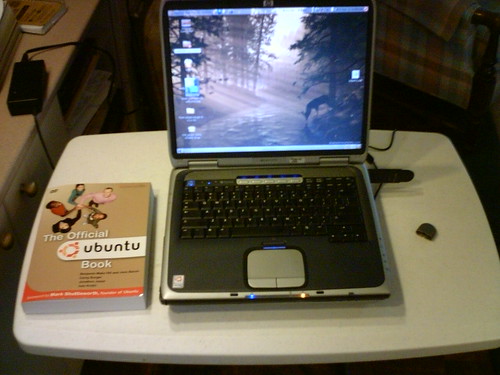 Yeah! My friggin laptop! At the time of writing this, the view count is 1,827. My laptop?? WTF? Out of all the interesting pictures of me, me at Disney, me at work, me in school, me and Nancy...my laptop is more interesting than me?? AArrrggghhh! (Simulated rage). Just about the only comments I receive are requests on where I got the Ubuntu sticker. I made it, folks! I used my creative head, and made it myself. Instructions are on the flickr page.
The next most popular pictures are the various screenshots I did, like this:
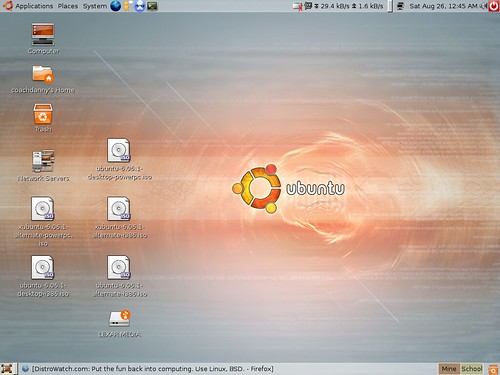 This picture was view 498 times. So, a screenshot of my computer is more popular than all of the pictures of me put together?
Oh, and then there's the links. Out of all the links, everyone seems to link to anything having to do with one of these little buggers:
 And that's not even my picture! No one cares about all the educational links, or the entertaining links I provide. No one cares to learn more about Open Source software, Xubuntu, Ubuntu, Free Geek, or any of that. Everyone wants to find out how to borrow wireless signal from their neighbors. Be my guest. The little Windsurfer antenna instruction page is, by far, the most popular link I've ever provided.
So, I better see some more clicking on ALL my links! Remember: I know where you surf!
Friday, July 06, 2007
Virtual Free Geek
I was thinking I would eventually need to load Xubuntu on my own laptop, mostly so I could have it for support for our Free Geek installations. Like Free Geek Chicago, we get mostly 500 MHz - 1 GHz machines, and rarely anything more powerful than that. These are still powerful machines, with the right software. With Xubuntu, they hum right along.
Helping my brother out reminded me that I don't have to have Xubuntu as my primary installation on my powerful laptop. I can enjoy the power of Ubuntu, while having Xubuntu in a virtual computer to help with support. Using VMware or VirtualBox, I can have a Xubuntu installation that will be exactly like what I put on a FreekBox.
Which brought to mind another thing I want to accomplish: Ubuntu support. The original Free Geek in Portland provides support for the systems. I'd like to set up volunteers with a website and a Skype in phone line so they could provide chat or phone support for the systems we provide. It would give people trying to get into technology jobs some experience. A cool thing Free Geek does; if they can't fix your machine in 15 minutes, they simply replace it. Try that with any other computer store! There's a lot to be said for used equipment with Free and Open Source Software on it.
Tuesday, July 03, 2007
Virtual Help
My brother had a typical problem today. He purchased a computer with Vista. The night he bought it, he really liked it. All pretty, and gussied up with it's eye candy. But, Vista's like pretty girls back in the 50's. You can look, hoot and holler, and they'll even wink at you. But don't you dare try to do anything with her. She's not that kind of a girl. Back then, girls had there own version of "Cancel or Allow".
My brother found out that a very important program problem Vista shares with Linux; a lot of programs don't work on it. The one he needed didn't work with Vista.
Unfortunately, it doesn't work with Linux either. But, that may be turning around soon. According to an Evans Data Study, developers are shying away from developing programs for Vista. Instead, more programs for Linux are being developed. I'm betting my future endeavors on it.
A week or so ago, I wrote about a problem with Quickbooks needed for a small business. Quickbooks doesn't support desktop Linux, and most small businesses need Quickbooks. At least, that's what their accountants and advisors tell them. Rightfully so probably. Quickbooks is an excellent product, and the Open Source alternatives don't match the abilities. Not yet at least. Programs like GnuCash may eventually be super powerful, but Quicken and Quickbooks are the name to beat.
Hopefully, the Evans folks are right, and solutions for Linux are lining up as I write. Hopefully, I'll have my ducks lined up, and the IT suitors will be knocking on my door.
We did solve my brothers problem. I had him load VMware player on his Vista machine, use easyvmx.com to make a .vmx file, load a Windows XP version on, then load the necessary program he needed to work. So far, it's worked. I run XP on my Ubuntu laptop when I need to for school. It actually runs faster in VMware than it did natively. Go figure!
 (Yes, I'm experimenting with Larger font size)
Monday, July 02, 2007
Open Education
In my effort to become part of the new style of education, here are a few links to educate you on some things.
Ubuntu Specific:
Ubuntu Clips - This site has short clips on basic, everyday things you usually want to do on a computer.
Ubuntu Videos - This site has lots of videos showing you how 'cool' Ubuntu is compared to Mac or Vista, but the link I provided is to the tutorials section. Some of the tutorials are on more advanced programs in Ubuntu
OpenOffice.org Specific:
Tutorials for OpenOffice.org - Very similar to some of the older Microsoft Office tutorials, but good enough to teach you pretty much everything you need.
Open of Course - You have to register for this site, but it's completely free. Lots of subjects, and most of them in Video tutorials. Even language tutorials. The OpenOffice.org tutorials are excellent.
So, for my Free Geek installations out there, you have lots of training material available.
Just think: Free Computer, Free Software, and Free training! How scandalous!
Ubuntu Specific:
Ubuntu Clips - This site has short clips on basic, everyday things you usually want to do on a computer.
Ubuntu Videos - This site has lots of videos showing you how 'cool' Ubuntu is compared to Mac or Vista, but the link I provided is to the tutorials section. Some of the tutorials are on more advanced programs in Ubuntu
OpenOffice.org Specific:
Tutorials for OpenOffice.org - Very similar to some of the older Microsoft Office tutorials, but good enough to teach you pretty much everything you need.
Open of Course - You have to register for this site, but it's completely free. Lots of subjects, and most of them in Video tutorials. Even language tutorials. The OpenOffice.org tutorials are excellent.
So, for my Free Geek installations out there, you have lots of training material available.
Just think: Free Computer, Free Software, and Free training! How scandalous!
Thursday, June 28, 2007
Learning Experience
Yesterday, I helped a new small business owner out with an Ubuntu system. A Dell GX60, 512 mb ram, 20 GB hard drive, with Ubuntu 7.04 Feisty Fawn OEM installed - with extras added for a small business. Everything worked fine till I got to the business. The keyboard didn't work, the mouse was bouncy and sticky, and the wired connection wouldn't connect. One of those tech times when nothing works right. And, to top it off, I forgot to sudo oem-config-prepare the computer for the user!
The business owner had a nice Dell Inspiron 5100 laptop computer that she originally intended on using, but it just wasn't working for her. This is actually typical of Windows XP Laptop owners.
Windows XP Laptop users generally have these problem:
- Almost no system updates are ever done - Even if the automatic updates are set to 'on', they don't happen because the owner has the computer off at 3am in the morning. If you own a Windows XP Laptop, check for updates DAILY! At least every Tuesday.
- No hardware driver updates are ever done - Sometimes Microsoft will push some hardware driver updates out, but not too much. Unless the computer has a manufacturers program that automatically updates and install fixes, the user never checks for them. Check for your specific computer drivers on the company website - Especially for computer two years old or older. And, especially check for a BIOS update. If there is, use it! If you're using Ubuntu, most likely it's the only update you really need.
- Anti-Virus software gets update, but the Anti Spyware doesn't - And the Anti Virus programs, especially Norton, seems to miss things. You need to have at least two Anti Spyware programs: Windows Defender and Spybot Search and Destroy. In my experience, both have found things the Anti Virus programs missed. Update your Anti Virus and Anti Spyware programs daily, and run them at least ever other day.
At the very least you can keep your system up-to-date. Checking for system updates on Tuesdays is very important. Microsoft puts out updates and security fixes on the third Tuesday of the month (I think). Malicious experts wait for those updates to come out, the learn and practice the exploits. They know that less than half of Windows users will do the updates.
Both laptop and Desktop Windows XP users should completely reinstall their system every year. If you are a serious user, every six months. Laptop users should probably reinstall every six months anyway.
To continue my Learning Experience: I should have checked out the equipment before I left the house. The keyboard was an eMachine keyboard, and they tend to work only with eMachines -if at all. I still have no clue on why the internet wouldn't work. Weird.
This experience also brings me to another point: Until there is a Linux version of QuickBooks, or at least a viable alternative, Linux won't be useful in a small business. GnuCash just doesn't cut it -at least for less tech savvy businesses. A small tech based business would probably be able to work with Linux, especially Ubuntu. But a company that isn't tech savvy won't have much use for it.
Tuesday, June 26, 2007
Solaris, Sun, and Xubuntu
A few weeks ago, I attempted to install Solaris 10 on an older dual 450 MHz SunSPARK ultra workstation. The idea was to learn Solaris. As it turns out, Solaris is basically a fancified Unix with a greatly modified Gnome desktop. I played with Solaris for a few hours, the installed Kubuntu on it. Kubuntu is nice, but I'm not a KDE fan. I have nothing against it. I just prefer the Gnome desktop. I know Linus Torvalds likes KDE, but it's just not for me. I'm glad there's alternative desktops though. I uninstalled Kubuntu, and installed Xubuntu on the Sun Workstation. Solaris 10 and Kubuntu ran like cold syrup on that system, but Xubuntu worked just fine. Solaris 10 and Kubuntu ran like cold syrup on that system, but Xubuntu worked just fine.
When Ubuntu 7.10 Gutsy Gibbon comes out in October (the 10 refers to October, and 7 refers to 2007 - good number scheme), I'm considering installing the Xubuntu version on my Laptop (it's more of a portable desktop). Xubuntu is fast on older hardware, really fast on new hardware, and it's what I'll be installing on most Free Geek systems. I know how it works fairly well, but it might help to be much more familiar with it.
My experience with Puppy Linux on really old systems (like a Pentium 200 MHz) gives me the idea to try doing a basic command line installation (server), and install IceWM on top. IceWM is the desktop interface for Puppy. This way, I might be able to keep consistent to the Ubuntu/Debian base systems, and have a uniform upgrade method for those older system. The disadvantage would be that the people working on distributions like Puppy and DSL have done a really good job of figuring out what works best on older hardware. That, and some of the newer Linux kernels don't work well on older hardware.
On second though, maybe I'll stick with Puppy on those old systems.
The iPhone comes out this Friday. I won't be rushing down to the AT&T store to get one. Far too expensive. That, and I'd rather wait for the iPhone 2.0 to come out. Besides; what I have right now works just fine. Well, at least it does when my bill is paid.
Sunday, June 24, 2007
Errand Caution
I've decided to change my name to Errand Caution. People name Errand seem to get all the action. Everyone has to do Errand, or has Errands to do. I've known girls named Erin, and a guy named Arron, but neither of them got as much action as I thought they did. Well, maybe Erin did, and I just never knew. Arron, however, was butt ugly. Then again, girls seems to go for the caveman look.
Also, many people like to err on the side of Caution. I haven't known anyone name Caution either, but now they'll be erring on my side. Then again, too many people throw Caution to the wind. I like hang gliding, but not sure about being thrown into it. Maybe I'll stick with my own name: Emperor Daniel.
At the moment, storage and recycling are my biggest concerns. At least as far as Free Geek of Central Florida goes. Well, that and getting a job. But, I've got to get the A+ certification for that. Recycling is going to be a big concern when we get the full Free Geek chapter going. There are very few recycling solutions in the Orlando area. I'll probably have to work out some sort of shipping method, eventually. The Free Geek in Portland breaks all unusable components down to their basic parts, and sells the materials; aluminum, steel, plastic, etc. Recycling old CRT (Cathode Ray Tube) monitors is really difficult. They contain mercury and lead. Explains why they're so heavy, I guess. I use a 21" CRT monitor. While it's not great on my eyes, it gives a better color picture than LCD does. Unless as good used LCD comes across my Free Geek path, I'll keep using this one till it's dead.
That's a big part of the Free Geek idea; use things through their entire life cycle. Maybe Windows was un-Godly slow on your old Pentium 200 MHz machine, but Puppy Linux runs it just fine. A wee bit of getting used to, with only needing to click things once, but other than than, not much different that Windows 98. It's not a speed demon, but it's more than fast enough for someone to use.
The Free Geeks around the country operated a bit differently, depending on their unique circumstance. Free Geek Vancouver, for instance, didn't have a regular place for quite awhile, and operated with independent people. It seems Free Geek Chicago operated in the back of another warehouse. I'll probably have to follow those models at first, doing the independent Free Geek "agent" at first. We'll have to do some sort of collaborative work at first, until a storage solution can happen, and eventually a storefront of some sort.
Right now, I'm simply giving the systems away. Most of the Free Geek chapters do some sort of volunteer thing, enabling people to use sweat equity to get their system. In Portland, they work on five computers, and they get to keep the sixth one. They also have the 'adoption' program, where people can purchase a rebuilt, refurbished computer for $50 or under. For now, I have to keep giving them away, until I can create a volunteer program.
The way I envision it; with the help of volunteer instructors, a volunteer can build a really nice computer, taking the best of the materials available. The computers they build will go to the 'adoption' program, or computer labs we'll help build. Buy coming in and working on the machines themselves, they earn the right to the best of the bunch, using the best parts available. While some computers will fall into the 'adoption' program, I'll probably still give away any computer that under 800 MHz. Something like a 600 MHz machine, with 128 ram loaded with an OEM installation of Xubuntu will be completely free. This way, the user can trade a bit of slowness for something that's absolutely free. In reality, I'll probably be able to make most of those computers have 256 ram. With Xubuntu, those are still pretty fast machines.
Monday, June 18, 2007
Sunday, June 17, 2007
More on Old vs New
Latest Ubuntu Laptop screenshot:
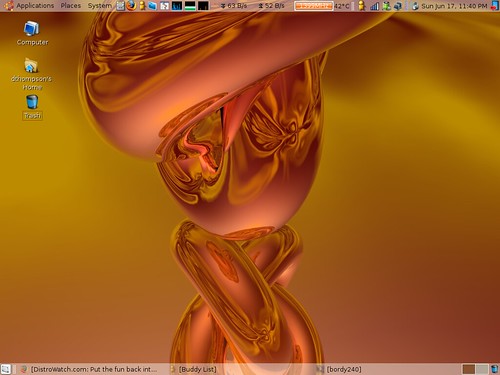
New hardware is easy. Everything is design to just work. Plug it in, boot back up, and away it goes. With somethings, you don't even have to power down or boot back up. With USB and Firewire, but plug it in and go. New hardware is fast, fun, and easy. But it doesn't teach you much.
Older hardware teaches you how computers actually work. You have much more configuring you have to do.
When I'm working on a Free Geek computer, I have to make some choices. I prefer to work on the best equipment first, and give them the best of the extra hardware I have available. Make a good machine run even better. Ideally, working with one of these machine won't take more than 2 hours (most of that involving wiping the hard drive clean):
- Check and clean the hardware
- Boot and Nuke the hard drive (makes a clean install much cleaner)
- Add in extra hardware
- Load Ubuntu or Xubuntu on as an OEM installation
- Update the system
- Add any more programs/packages I think should be on (like Ubuntu Extras)
- Add extra artwork, if necessary or desirable
- Write out an index card of the machine and installation -stick it in the A-drive slot
- Right before the machine goes out, I update the system and software, then do "sudo oem-config-prepare" and the machine is ready for a new user
This sequence gets quicker each time I do it, especially with newer hardware. If I'm using a hard drive that's already wiped clean, I can do all the above in less than an hour. But sometimes an older system comes in, and steps 2, 3, and 4 are difficult at best. Part of me doesn't like to be beat, and I want to make whatever is in front of me work. But, sometimes the hardware just isn't worth it. It's just too old.
When we give out a free geek machine, we also help support it for a year. If something goes wrong, and we can't fix it in fifteen minutes, we just give the user a new machine. Better than most support agreements, wouldn't you say? Just like any operating system, it takes a new user about three months to adapt. People who work with technology on a daily basis might need a week or two of support at best. I'm looking for a 'remote assistance' solution on Ubuntu to help me with that. I know they exist, but I've been too lazy to look them up, much less figure how they work.
When I'm trying to get a system working, if it's older and it takes longer that 30 minutes to do step 3 and 4, it's just not worth doing. I can only bother to learn so much about older hardware. If it's the last one that I have, I might play with it. But if I have other systems waiting for an installation, I move on. If a system is under 500 Mhz, the rebuild has to go smooth and easy, or it's not worth spending the time on. I can get something even as low as 200 MHz working, but the machine will probably never be used. If I could figure how to get it to a country where it might be used, I would. When I can do something like that, I might. Most of the equipment I get in is in the 400 MHz - 900 MHz range. Xubuntu is the primary installation I use for those machines. If something is 800 MHz or higher, and I have enough memory around to load 512 MB ram on, I'll load Ubuntu. Occasionally, I'll get a machine in that's over 1 GHz. To the victor......
Subscribe to:
Posts (Atom)